Compare the same house in two finishes
Use one house model so changes in roof shape, glass area or camera angle do not dominate the comparison. In the pair below, the authored house and opening configuration stay the same. Only the exterior frame finish changes across the eligible placed openings.
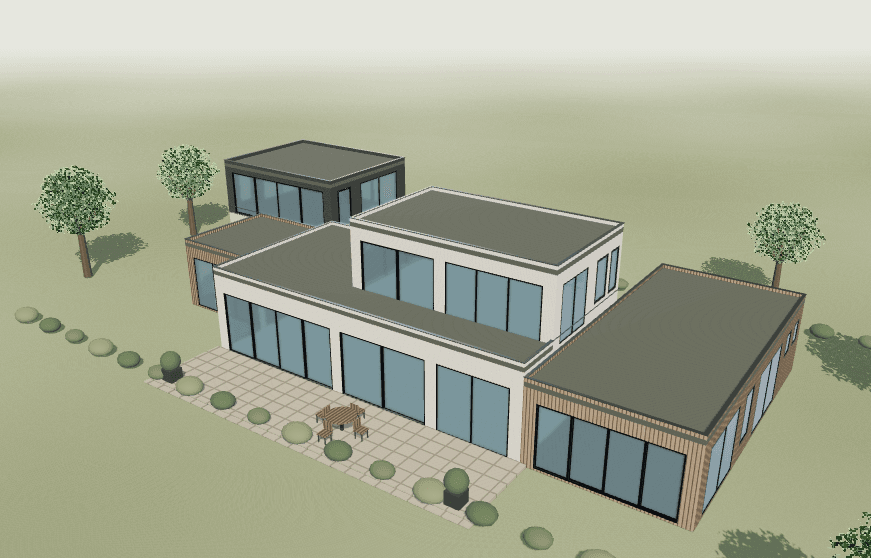
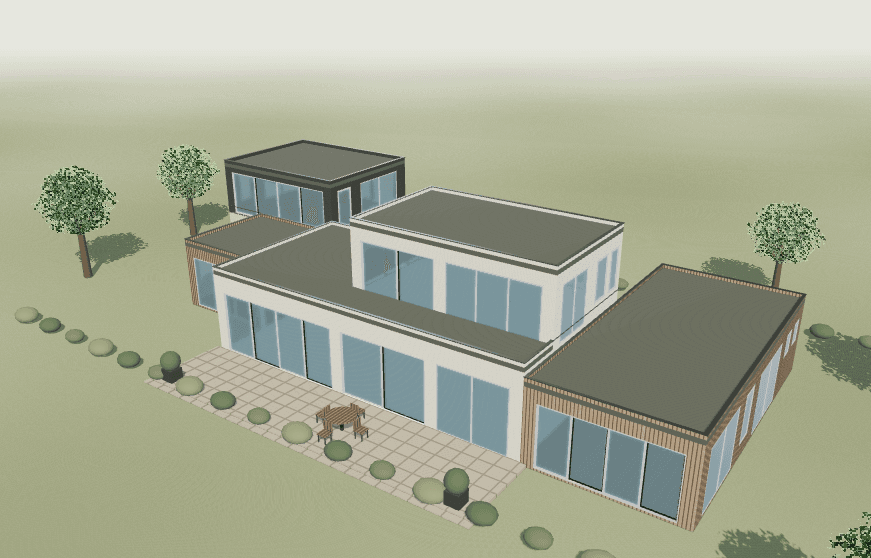
Actual Save image exports from the authored demonstration house. Geometry, opening layouts, products, interior finishes, camera and lighting were retained. Screen references, not physical finish samples.
Look at the frame edges against the wall, the rhythm of adjacent openings and how much attention the divisions attract. These are visual review questions rather than universal rules that one finish is better for a particular architectural style.
To repeat the comparison, open the example, keep Original and change the editable alternative using Try white frames or Try black frames. Read the change and skip counts before treating the result as a whole-house decision. Follow the controlled alternative workflow for a reusable baseline.
Review exterior and interior separately
The quick finish controls change the exterior of the current alternative. The captured white exterior retains the black interior reference. Do not describe that result as white on both sides. Open the appearance controls when you need to review interior and exterior choices separately.
For the intended product, confirm finish availability, surface texture and the treatment of visible hardware and decorative bars. A supported screen selection is a planning preference, not proof that every component can be supplied in that finish.
RAL provides digital color tools for design work. Keep the screen representation separate from the physical sample used for approval. Record the supplier finish reference and examine the sample under the project's intended viewing conditions.
Check frames, grids and adjacent openings
| Decision | Keep visible | Confirm separately |
|---|---|---|
| Facade | Same cladding, lighting and camera | Actual cladding and frame samples |
| Frame divisions | Same pane layout and opening dimensions | Final profile and sightline details |
| Interior | Separate interior finish selection | Room-side sample and hardware finish |
| Decorative bars | Bar pattern and face colors | Manufacturer-approved bar specification |
Compare the house at a distance and inspect a selected opening up close. A finish that looks subtle in a whole-house view may make the bars more noticeable in a close-up. Change the grid pattern in a separate alternative so the color comparison remains interpretable.
This preview does not establish heat behavior, durability, maintenance cost, resale value or the price of either finish. Those questions require evidence for the selected product and finish, beyond the appearance shown here.
Save your preferred direction
Name the alternative with its exterior and interior intent, save a view and download the editable project for a portable backup. Save project alone stores a session in the current browser; Download project provides the JSON file. Keep both alternatives when the decision is still open.
In the handoff, record the finish reference, surface requirement, affected opening marks and the sample approval still needed. The free schedule template provides a place to retain decisions and unresolved questions without turning the image into a manufacturing specification.